
Stop Nodding Along: A Plain-Language Guide to Digital Industry Acronyms
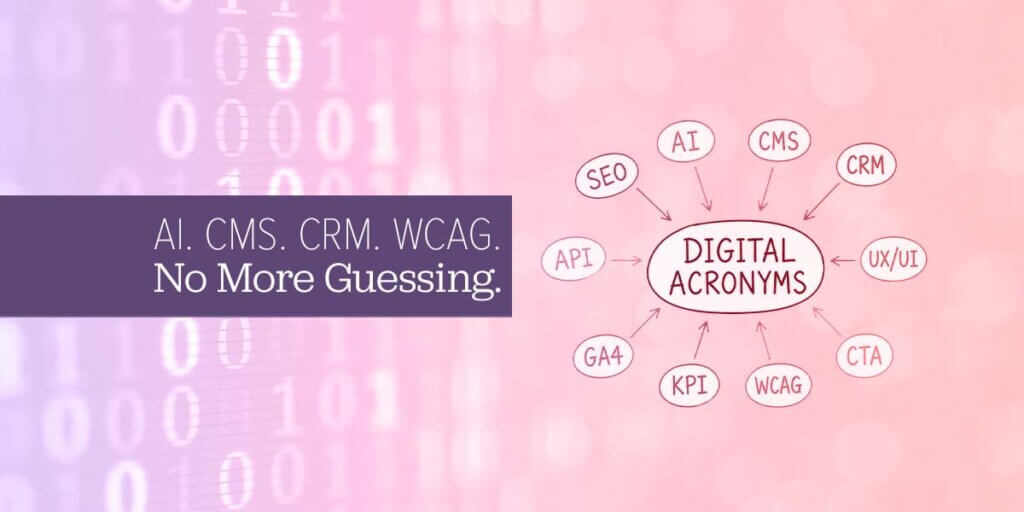
Ever since the early days of the World Wide Web, our industry has been overflowing with acronyms. Add in all the abbreviations used by nonprofits and associations, and it’s no wonder conversations can sometimes sound like alphabet soup.
If you’ve ever sat through a meeting with your web agency, nervously smiling and nodding while quietly wondering what half the acronyms actually mean, you’re not alone.
In fact, we’ve been there ourselves. When we first started working with nonprofits and associations, we quickly discovered there was a whole new language to learn. So, we understand. The pain is real.
This guide is here to help decode some of the most common web, marketing, accessibility, and nonprofit acronyms you’ll encounter. So the next time someone mentions GA4, WCAG, CRM, or CMS, you’ll know exactly what they’re talking about.
AI & Emerging Tech
AI — Artificial Intelligence A broad term for computer systems that can perform tasks that typically require human intelligence. Things like understanding language, recognizing images, or making decisions. It’s impossible to avoid AI these days. You’ve likely encountered AI through tools like ChatGPT, Google’s search suggestions, or chatbots on websites.
LLM — Large Language Model The specific type of AI behind tools like ChatGPT and Claude. LLMs are trained on massive amounts of text and can read, write, summarize, translate, and converse in natural language. Think of it as a very sophisticated autocomplete, except it can write your entire grant proposal.
MCP — Model Context Protocol A newer standard that lets AI tools connect to and interact with other software (like your CRM, calendar, or website). It’s essentially a universal plug for AI, so instead of each AI tool needing its own custom integration, MCP lets them all speak the same language.
RAG — Retrieval-Augmented Generation A technique that makes AI smarter by giving it access to specific, current information before it answers a question. Instead of relying only on what it was trained on, a RAG-powered AI can pull from your actual documents, website, or database to give more accurate, relevant answers.
NLP — Natural Language Processing The branch of AI focused on helping computers understand and generate human language. It’s what powers voice assistants, search engines that understand intent, and tools that can analyze sentiment in donor feedback.

Design, Development & Marketing
CSS — Cascading Style Sheets The code that controls how your website looks — colors, fonts, spacing, layout. HTML builds the structure; CSS makes it beautiful (or not). When your developer says “that’s a CSS fix,” they mean it’s a visual change, not a content one.
PHP — PHP: Hypertext Preprocessor (Yes, PHP stands for itself — welcome to tech humor.) It’s a programming language that powers the behind-the-scenes logic of many websites, including WordPress. When you submit a contact form or log into your site, PHP is likely doing the heavy lifting.
HTML — HyperText Markup Language The foundational language of the web. HTML defines the structure of a webpage — headings, paragraphs, links, images. Every webpage you’ve ever visited is built on HTML.
JPG / JPEG — Joint Photographic Experts Group A common image file format best suited for photographs and complex images with lots of color. JPGs compress file size by sacrificing a tiny bit of quality — usually imperceptible to the human eye. Great for photos; not ideal for logos with sharp edges.
PNG — Portable Network Graphics Another image format, but one that supports transparency (that invisible background behind your logo). PNGs are larger files than JPGs but maintain crisp quality — ideal for logos, icons, and graphics.
EPS — Encapsulated PostScript A vector-based file format most commonly used for high-resolution logos and print graphics. Unlike JPG or PNG, an EPS file can be scaled to any size without losing quality. If a print shop or designer asks for your logo as an EPS, they want this file.
PPI / DPI — Pixels Per Inch / Dots Per Inch Both measure image resolution, just in different contexts. PPI refers to screen resolution (how sharp an image looks on your monitor). DPI refers to print resolution (how crisp something looks when physically printed). 72 PPI is standard for web; 300 DPI is standard for print. Mixing these up is why printed images sometimes look blurry.
SVG — Scalable Vector Graphic A web-friendly image format that, like EPS, scales perfectly to any size — ideal for logos and icons on websites. SVGs are actually written in code, which means they load fast and can even be animated or styled with CSS.
AEO — Answer Engine Optimization The emerging practice of optimizing your content so AI tools (like ChatGPT, Perplexity, or Google’s AI Overviews) surface your organization as a trusted answer to relevant questions. As more people search via AI instead of traditional Google, Similar Web recently reported an astounding 68% of all searches end without a click, AEO is becoming increasingly important.
GEO — Generative Engine Optimization Closely related to AEO, GEO specifically focuses on ensuring your content is cited and referenced by generative AI systems. Think of it as SEO — but for AI-powered search engines.
SERP — Search Engine Results Page The page you see after you type something into Google (or any search engine). When we talk about ranking on SERPs, we mean appearing higher on that page so more people find you. Organic results, ads, map listings, and AI summaries all live on the SERP.
E-E-A-T — Experience, Expertise, Authoritativeness, Trustworthiness Google’s framework for evaluating content quality. Google wants to surface content written by people who have real experience and knowledge on a topic, and who are recognized as credible sources. For nonprofits, this means publishing content authored by your actual experts. E-E-A-T is critical when it comes to topics such as health or finance.
API — Application Programming Interface A way for two software applications to talk to each other. When your donation platform syncs with your CRM, or your website pulls in your latest social posts, an API is making that connection possible. It’s the digital equivalent of a translator between two systems.
UX / UI — User Experience / User Interface Often used together, but they mean different things. UI (User Interface) refers to the visual design of a digital product — buttons, menus, colors. UX (User Experience) refers to how it feels to use — whether it’s intuitive, frustrating, or delightful. Good UI without good UX is like a beautiful car that’s hard to drive.
CX — Customer Experience The broader relationship a person has with your organization across every touchpoint — your website, emails, events, staff interactions, and more. Where UX focuses on digital products, CX encompasses the full journey. For nonprofits, think of this as your constituent experience.
VR — Virtual Reality Technology that immerses users in a computer-generated environment, typically via a headset. It’s increasingly used for storytelling, training, and awareness campaigns. Nonprofits have used VR to place donors “inside” the communities they serve — with powerful results.
KPI — Key Performance Indicator A measurable value that shows whether you’re hitting your goals. Website traffic, email open rates, donation conversion rates, and event registrations are all examples of KPIs. The key word is key — a good KPI is specific, meaningful, and tied to a real objective.
Miscellaneous
CTA — Call to Action Any prompt that invites your audience to take a specific next step — “Donate Now,” “Register Today,” “Download the Guide.” A strong CTA is clear, compelling, and easy to act on. Without one, even great content leaves visitors wondering what to do next.
SaaS — Software as a Service Software delivered via the internet on a subscription basis rather than installed on your computer. Tools like Mailchimp, Salesforce, HubSpot, our own AMO, or Insi, and even Google Workspace are all SaaS. You access them through a browser; someone else maintains the servers.
WYSIWYG — What You See Is What You Get Pronounced “wizzy-wig.” A type of editor (common in WordPress and email platforms) where you format content visually, and the result looks the same as what you see on screen. The opposite of coding everything by hand.
PEBCAK — Problem Exists Between Chair and Keyboard A bit of insider humor used by IT professionals to describe when the issue isn’t the technology — it’s the human using it. We say this with great affection. Believe me. We’ve all been the PEBCAK at some point.
Still confused? Good.
That means you’re paying attention. The digital world evolves quickly, and new acronyms appear faster than anyone can track. When in doubt, ask. There are no dumb questions — only unasked ones.
If you’re working with ArcStone and hear something you don’t recognize, stop us and ask. Clarity is part of the service.
Have a term you’d like us to add to this list? Contact us.